Last updated: November 2026
Key takeaways
- A good accessibility remediation vendor fixes the source files, tests them with real screen readers, and gives you a report you can defend. An automated scan alone is not remediation.
- As of November 2026, the U.S. Justice Department has moved the ADA Title II web deadline to April 26, 2027 for public entities serving 50,000 or more people. The technical standard, WCAG 2.1 Level AA, did not change.
- Score every vendor on the same 10 points: standards, samples, manual testing, screen readers, STEM, formats, security, turnaround, reporting and support.
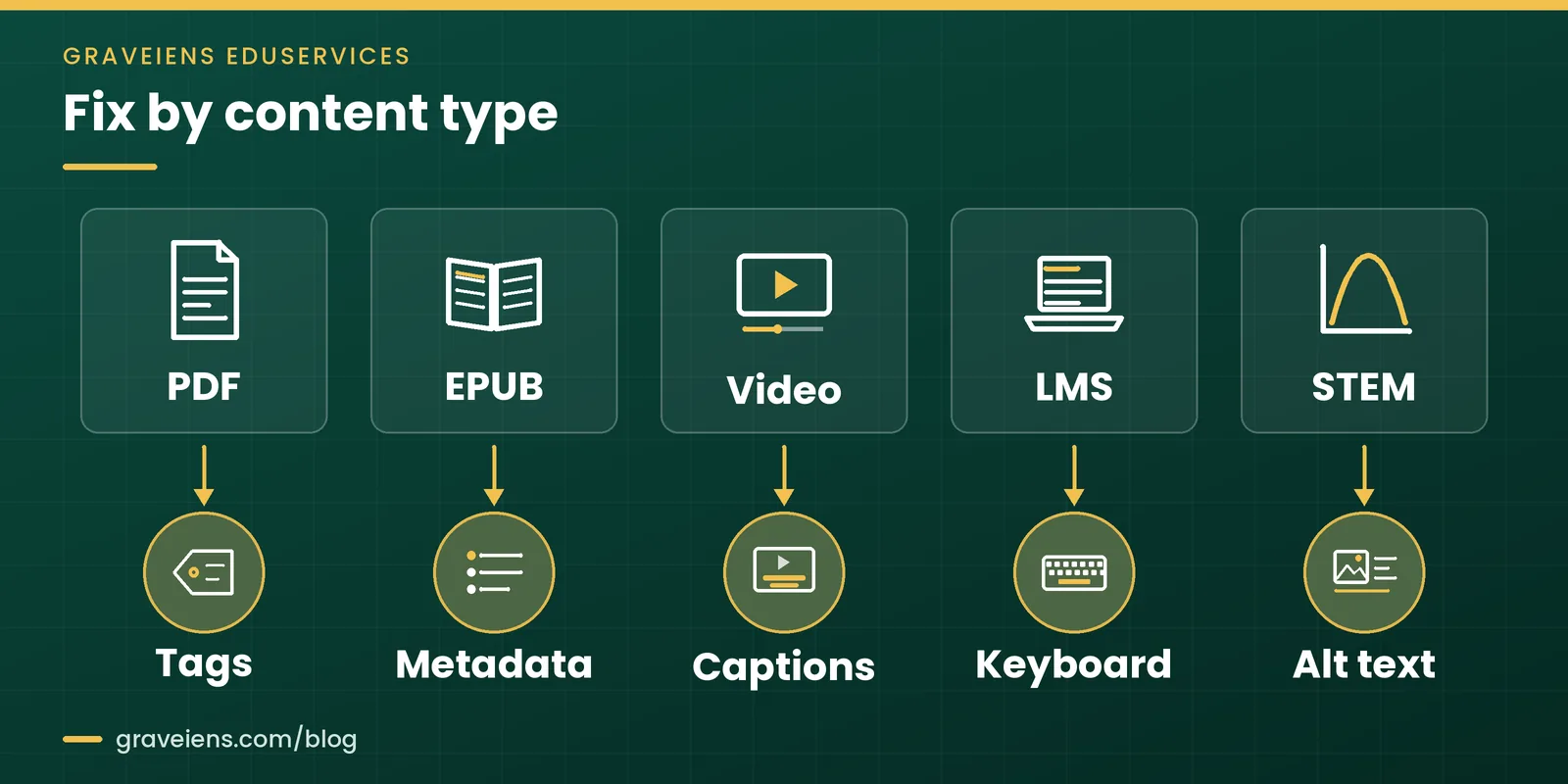
- Effort depends on content type. Tagged PDFs, EPUB metadata, video captions, LMS keyboard access and STEM alt text each need different skills.
- Pilot your hardest files before you sign a volume contract. The pilot shows quality faster than any sales deck.
Most universities, publishers and EdTech teams hold thousands of files that fail basic accessibility checks. Course PDFs lack tags. Lecture videos lack captions. Math images have no alt text. Picking the wrong accessibility remediation vendor can cost a full term of rework and still leave you exposed.
This guide is written for buyers. It explains what a vendor should do, how the work flows, and the 10 questions that separate real fixes from cosmetic ones. It covers U.S. teams working under ADA Title II and Section 508, plus teams selling into the EU under the European Accessibility Act.
Not sure where your files stand? Request a free sample task and judge our remediated output before you commit.
What does an accessibility remediation vendor do?
An accessibility remediation vendor repairs existing digital content so people with disabilities can use it. The work includes tagging PDFs, writing alt text, fixing reading order, captioning video and correcting color contrast. Strong vendors fix the source file, test it with assistive technology, and document conformance against WCAG and your legal standard.
Remediation is different from an audit. An audit tells you what is broken. Remediation fixes it. Some firms do only one of the two, so ask any accessibility remediation vendor early which job you are buying.
It is also different from an overlay. An overlay is a script that changes how a page looks in the browser. It does not repair the PDF in your LMS or the caption file on your video.
Which legal standards should your vendor know?
Your vendor should name the rule you answer to and the WCAG version behind it. Here is where the main rules stand.
General information, not legal advice: confirm how these rules apply to your organization with qualified counsel.
- ADA Title II (U.S. public entities, including public colleges). The Justice Department published an interim final rule in the Federal Register on April 20, 2026. As of November 2026, entities serving 50,000 or more people must comply by April 26, 2027. Smaller entities and special district governments have until April 26, 2028. A legal challenge to the extension was pending as of November 2026, so confirm the dates before you plan around them. Our ADA Title II deadline explainer covers what the extension does and does not change.
- Section 508 (U.S. federal agencies and their suppliers). Per Section508.gov (page reviewed July 2026), the Revised 508 Standards apply WCAG 2.0 Level AA to both web and non-web content. That includes PDFs and Office files.
- European Accessibility Act (EU market). Directive (EU) 2019/882 has applied since 28 June 2025, as the European Commission’s AccessibleEU centre confirms. Publishers should read our guide to the European Accessibility Act for publishers.
In short: a remediation vendor repairs your files and proves the repair. If a vendor cannot name your rule and its WCAG level in the first call, keep looking.
How does the accessibility remediation process work?
A sound accessibility remediation process runs in six steps: audit, prioritize, remediate, test with assistive technology, report conformance and monitor. Each step has an owner and an output. Skipping the testing or reporting steps is the most common reason remediated files still fail when a student or auditor opens them.
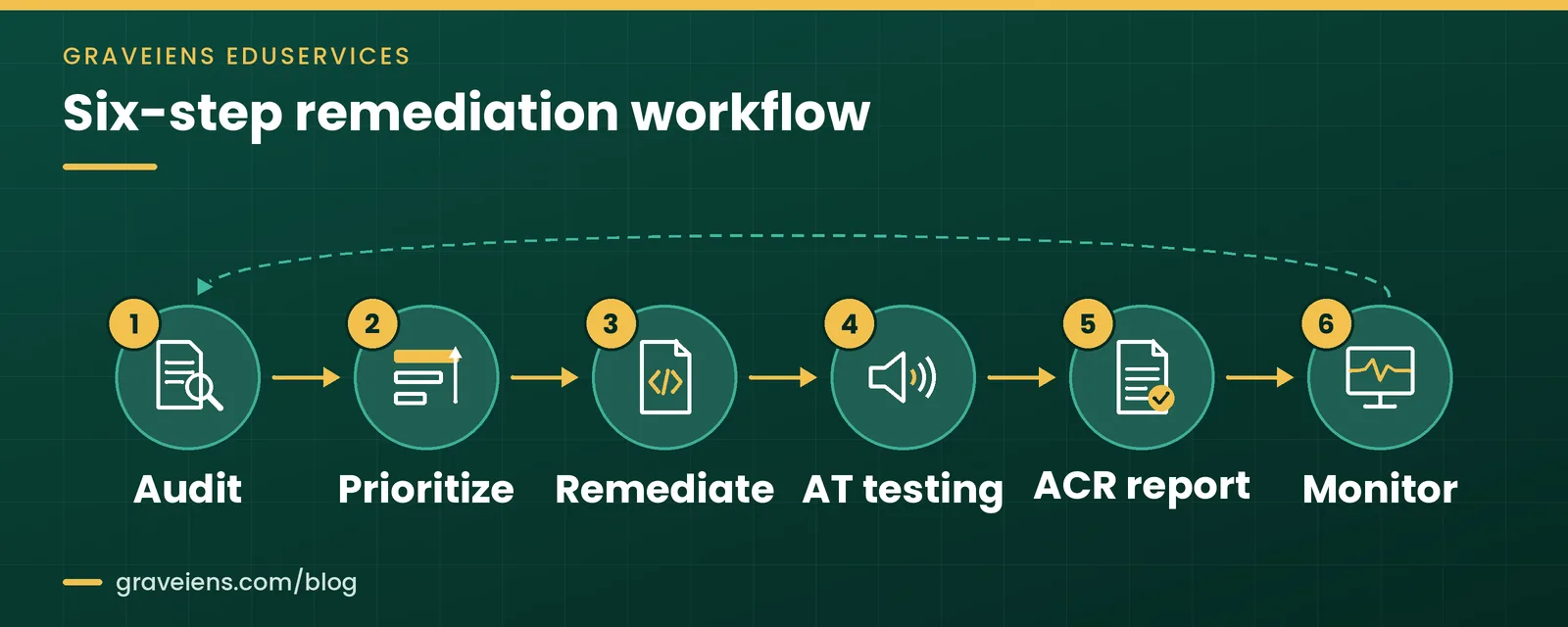
- Audit. The vendor samples your content and logs every failure against the target WCAG criteria. Good audits mix automated checks with manual review.
- Prioritize. You and the vendor rank files by use and risk. Live course materials and public pages usually come first.
- Remediate. Specialists fix the source: tags, headings, reading order, alt text, captions, contrast and form labels.
- Assistive-tech test. Testers open the fixed files with screen readers and keyboard-only navigation. This catches problems scanners miss, such as a confusing reading order.
- Conformance report. The vendor documents what passes, what does not, and why. For products, this often feeds an Accessibility Conformance Report (ACR).
- Monitor. New content keeps arriving. Set a cadence for spot checks so fixed collections stay fixed.
In short: ask every vendor to walk you through these six steps using one of your own files. Gaps show up fast.
Which 10 questions should you ask an accessibility remediation vendor?
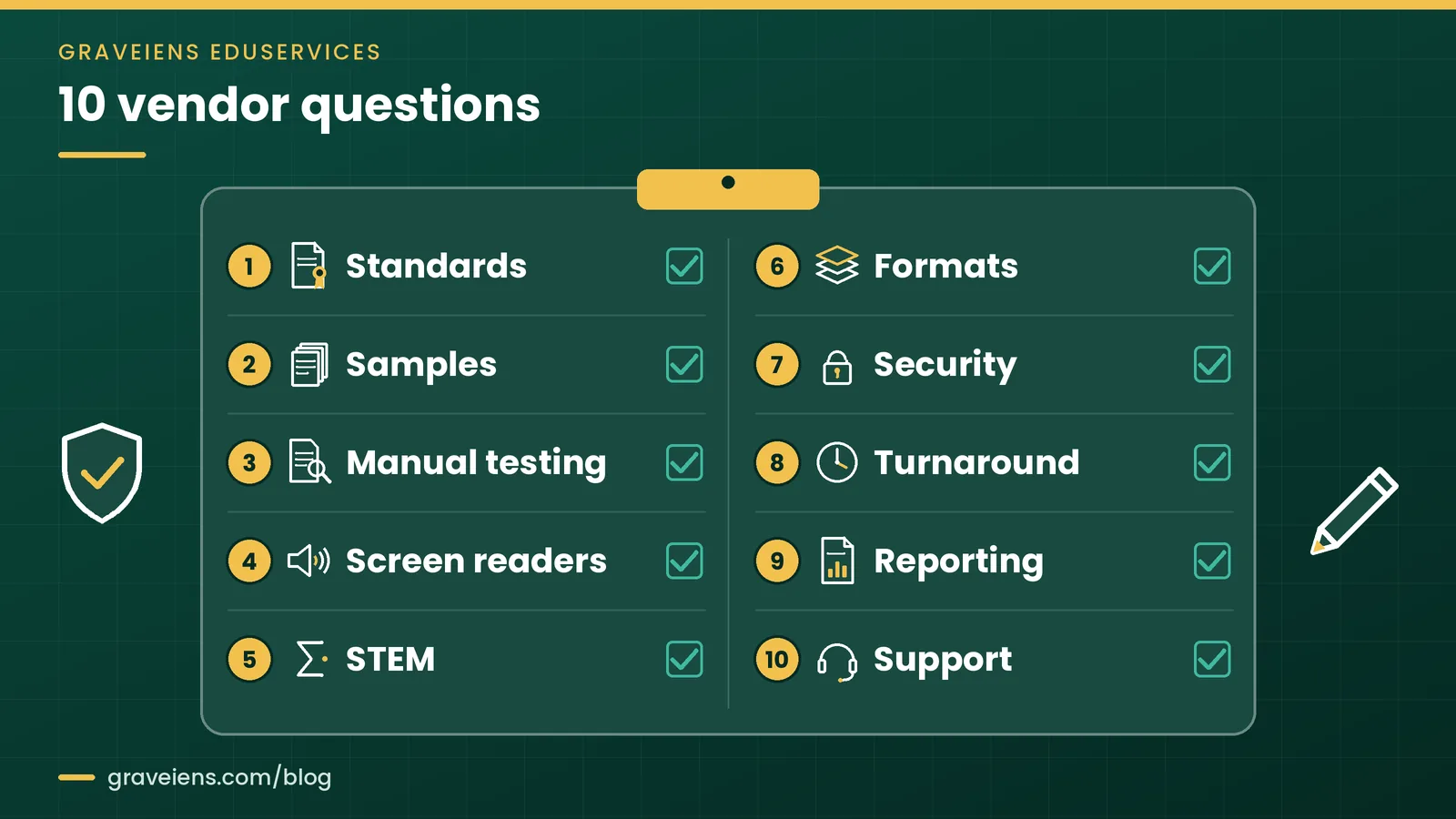
Ask about standards, samples, manual testing, screen readers, STEM content, file formats, security, turnaround, reporting and support. We call this the 10-Point Remediation Vendor Scorecard. Score each answer 0, 1 or 2. A vendor that cannot give a clear, specific answer on testing or reporting should not make your shortlist.
The 10-Point Remediation Vendor Scorecard
- Standards. Which standard and version will you remediate to? A good answer names WCAG 2.1 AA or 2.0 AA, plus PDF/UA or EPUB Accessibility where relevant.
- Samples. Will you remediate one of our files before we sign? Real vendors say yes. Use your hardest file, not your easiest.
- Manual testing. What share of checks are done by people? Listen for a clear split between automated and manual steps.
- Screen readers. Which screen readers and browsers do you test with? Ask to see a test log, not a promise.
- STEM. How do you handle equations, charts and diagrams? Look for subject experts who write meaningful alt text and long descriptions.
- Formats. Which formats do you fix at source? PDF, Word, PowerPoint, EPUB, HTML, video and LMS pages each need different skills.
- Security. How do you protect unreleased or student content? Ask about access controls, NDAs and data retention.
- Turnaround. What volume can you handle per week without quality dropping? Ask how they scale during term starts.
- Reporting. What do we receive at the end? You want a per-file log and a conformance summary you can share with auditors.
- Support. What happens if a student reports a problem after delivery? Good vendors fix reported defects within a set window.
Add up the scores. Treat any 0 on manual testing, screen readers or reporting as a hard stop, whatever the total. An accessibility remediation vendor that scores well on price but zero on testing will cost you more later.
In short: the scorecard turns a sales conversation into evidence. Use the same 10 questions with every vendor so you can compare answers side by side.
Want the scorecard as an editable checklist? Ask us for the checklist, or send us one chapter or 20 pages to pilot and get a scoped quote.
What drives remediation effort by content type?
Remediation effort depends mostly on content type and complexity. A simple text PDF needs tags and reading order. A STEM textbook needs expert alt text for every figure. Video needs captions and sometimes audio description. Ask vendors to quote by content type so you can see where time, and budget, actually goes.
| Content type | Key fix | What to check in the sample | Main effort driver |
|---|---|---|---|
| Tags and reading order | Headings, tables and lists read in order | Complex tables and layouts | |
| EPUB | Accessibility metadata and navigation | Metadata, table of contents, page list | Source file quality |
| Video | Captions and transcripts | Caption accuracy and sync | Runtime and technical terms |
| LMS pages | Keyboard access and structure | Focus order, labels, link text | Custom widgets and embeds |
| STEM images | Alt text and long descriptions | Descriptions match the teaching point | Subject expertise needed |
Two patterns matter most for education buyers. First, STEM content takes longer because a writer must understand the concept before describing it. Our guide to alt text for STEM images shows what good descriptions look like.
Second, the cleaner the source, the faster the fix. If you can supply original InDesign or Word files, many problems can be solved upstream. For ebooks, a fresh build through accessible EPUB conversion can beat patching a broken file.
In short: do not compare accessibility remediation vendors on a single blended rate. Compare them on the content mix you actually have.
Red flags and compliance mistakes to avoid
Three red flags appear again and again when an accessibility remediation vendor pitches for work. Each one has a clear green-flag alternative you can ask for instead.
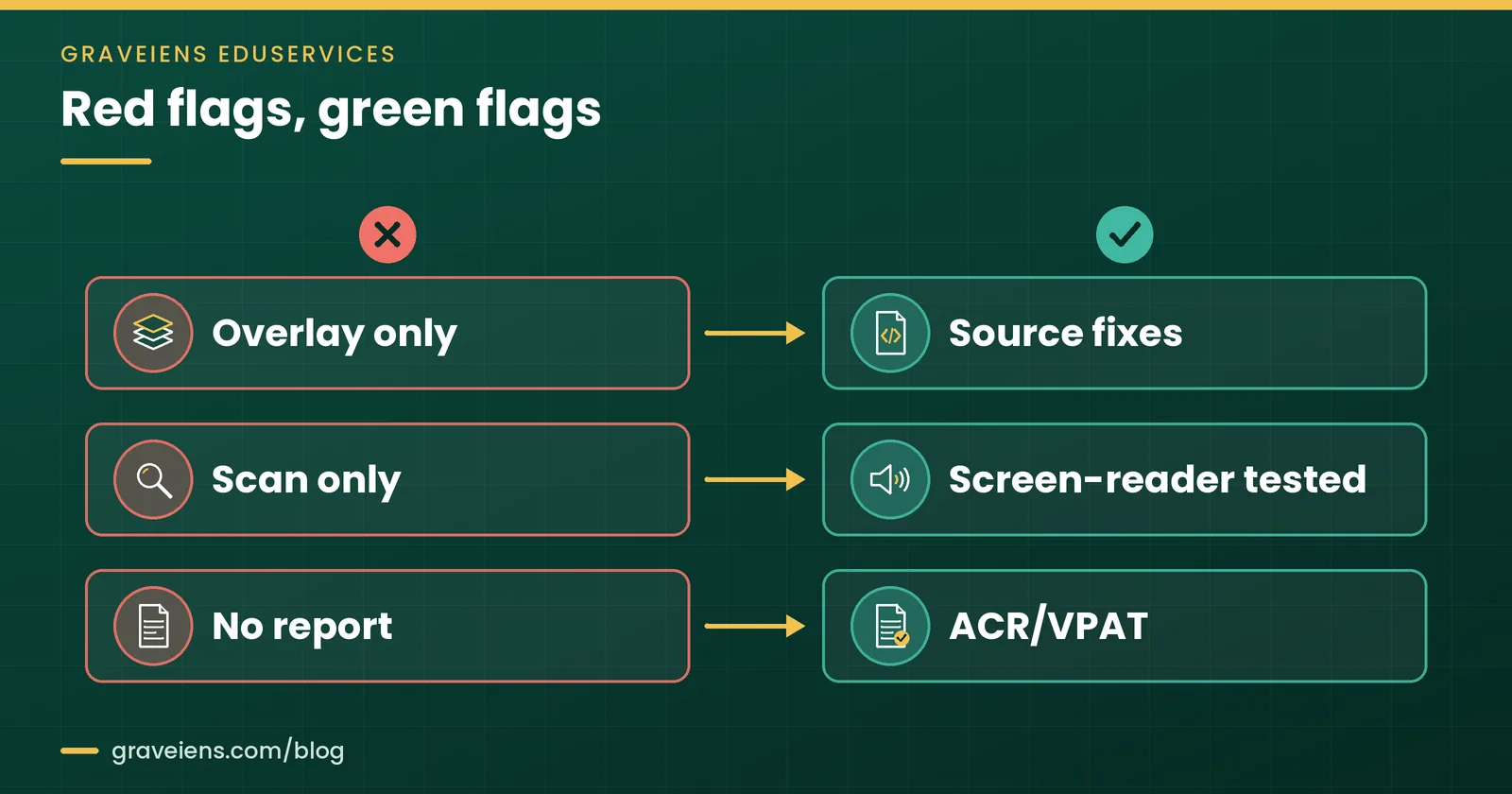
- Overlay only vs source-file fixes. An overlay does not repair your documents or media. Ask for fixes made in the file itself.
- Automated scan only vs manual and screen reader testing. Scanners catch many coding errors but miss meaning. They cannot judge whether alt text explains a graph.
- No report vs ACR or VPAT. A VPAT is the template. A completed one is an Accessibility Conformance Report. Without a report, you have nothing to show an auditor.
Common buyer mistakes
- Fixing only new content. Live course shells often reuse old PDFs. Map what students actually open.
- Ignoring third-party files. Publisher PDFs and embedded tools can still count as your content. Check contracts and request ACRs.
- Choosing on price alone. A low rate that needs a second pass is not low.
- No regression checks. A file fixed once can break when someone edits it. Build spot checks into your workflow.
In short: buy fixes, testing and evidence. If any one of the three is missing, the job is not finished.
How GravEiens EduServices approaches accessibility remediation
GravEiens EduServices works as an accessibility remediation vendor and content partner for education teams. We have worked with education content since 2017, for publishers, universities and EdTech companies. Our quality system is ISO 9001 certified.
Every remediation project runs through our four-stage QA: content creation, internal review, client review and final delivery. That means your team signs off on a sample before we scale, and every file passes an internal check before it reaches you.
We work across the formats education teams use most: PDFs, EPUBs, slide decks, LMS pages and STEM-heavy titles. Subject specialists write alt text for charts and equations, so descriptions carry the teaching point. See our accessibility remediation services for scope and formats.
Frequently asked questions
How much does accessibility remediation cost?
Cost depends on content type, page count, layout complexity and how much STEM material you have. A text-only PDF takes far less effort than a math textbook with hundreds of figures. Ask each accessibility remediation vendor to price by content type and to remediate a sample first. That gives you a realistic estimate based on your own files, not a generic rate card.
Is an accessibility overlay enough for ADA compliance?
An overlay alone is not enough for most education content. Overlays change how a web page renders in the browser. They do not fix the PDFs, slide decks, EPUBs and videos inside your LMS. ADA Title II rules point to WCAG 2.1 Level AA, which applies to the content itself. Treat overlays as optional extras, never as a substitute for remediation.
What is the difference between a VPAT and an ACR?
A VPAT, or Voluntary Product Accessibility Template, is a blank form for reporting accessibility conformance. Once a vendor fills it in for a specific product, the result is called an Accessibility Conformance Report, or ACR. Ask for the completed ACR, check its date, and confirm that it describes manual and screen reader testing, not just automated scans.
Do we need to remediate old content?
Often, yes. Older files that students or the public still use usually need fixing. Both the ADA Title II rule and the European Accessibility Act include some narrow exceptions for older or archived material, but they are limited. Map which files people actually open, check the exception wording with your counsel, and remediate active content first.
What WCAG level should we ask a vendor to meet?
For U.S. public entities, ask for WCAG 2.1 Level AA, the standard in the ADA Title II web rule. Federal agencies and their suppliers work to WCAG 2.0 Level AA under Section 508. Many teams target WCAG 2.1 AA everywhere to keep one standard across markets. Put the exact version and level in your contract.
Can automated tools replace manual accessibility testing?
No. Automated checkers are useful for finding missing tags, low contrast and empty links at scale. They cannot judge meaning. A tool cannot tell whether alt text explains a chart or whether the reading order makes sense. Use automation to speed up audits, then rely on trained testers and screen readers to confirm that content truly works.
Test us on your hardest file
Send us one chapter or 20 pages, including a complex table or STEM figure. We will remediate it, run it through our four-stage QA and return it with a per-file log. Request your free sample task or get a scoped quote for your backlog.
Sources
- U.S. Department of Justice, “Extension of Compliance Dates for Nondiscrimination on the Basis of Disability; Accessibility of Web Information and Services of State and Local Government Entities,” Federal Register, April 20, 2026
- Section508.gov (GSA), “Applicability and Conformance Requirements,” reviewed July 2026
- EUR-Lex, Directive (EU) 2019/882 on the accessibility requirements for products and services
- European Commission AccessibleEU, “The EAA comes into effect in June 2025. Are you ready?”
GravEiens EduServices Editorial Team
The GravEiens EduServices Editorial Team includes instructional designers, accessibility specialists and assessment editors who build and remediate learning content for publishers, universities and EdTech companies. We write from day-to-day project work and check every regulatory date against primary sources before publishing.

 Accessibility
Accessible PDF Remediation for Universities: Tags, Reading Order and Testing
Accessible PDF remediation step by step: tags, reading order, alt text, tables and testing for WCAG 2.1 AA and PDF/UA.…
 Accessibility
European Accessibility Act for Publishers: How to Remediate Your EPUB Backlist
European Accessibility Act publishers guide: EAA ebook rules, backlist timing, EPUB triage and cost drivers. Send 3 sample titles for…
 Accessibility
Alt Text for STEM Images: A Practical Guide for Publishers (with Examples)
Alt text for STEM images, with short alt and long description examples for graphs, geometry, chemistry and circuits. Get 25…
Get monthly EdTech insights
Trends, content tips and how-tos — once a month, no spam.