Last updated: October 24, 2026 — approx. 14 min read
Key takeaways
- 2D educational animation services cover explainer videos, character-based story animation, whiteboard/motion graphics, and science or math visualizations built for a specific grade band and learning objective.
- A solid production pipeline always runs through four checkpoints: storyboard, voice-over, animatic (visual storyboard), and final animation, with a review gate at each stage.
- Cost and timeline are driven mainly by duration, style complexity, number of review rounds, localization languages, and accessibility deliverables — not just “minutes of video.”
- Most delays come from a weak creative brief or late-stage style changes, not from the animation studio itself.
- GravEiens EduServices runs every animation project through a four-stage QA workflow and has delivered 400 minutes of Grade 1–5 Math and Science animation a week ahead of schedule, with 90% of content approved within two review rounds.
Introduction
If you’ve ever sat through a vendor pitch for 2D educational animation services and still couldn’t tell what you’d actually receive, you’re not alone. Publishers and EdTech teams usually know they need animated content for a course, a question bank, or a supplemental lesson series. What’s harder to pin down is what “animation services” actually includes, how long a good pipeline takes, and what to put in a brief so the first draft doesn’t miss the mark.
This guide is for curriculum leads, instructional designers, and EdTech content managers evaluating an outside animation partner for K-12 or higher-ed content. You’ll get a clear picture of the styles available, how a production pipeline runs from script to final file, a checklist for choosing a style and vendor, what drives cost and timeline, and the mistakes that slow projects down. If you’re ready to scope a project now, GravEiens EduServices’ 2D animation services page is a good place to see sample work and start a conversation.
What are 2D educational animation services?
2D educational animation services are the end-to-end production of flat, non-3D animated video content — explainers, character stories, whiteboard sequences, and science or math visualizations — built specifically for curricula, courses, or supplemental learning materials, rather than for marketing or entertainment.
That distinction matters more than it sounds. A marketing explainer just needs to hold attention for 60 seconds. An educational animation has to teach something, which means it needs to align to a specific learning objective, fit a grade band’s reading and attention level, match a publisher’s visual style guide across dozens or hundreds of chapters, and often get translated or adapted for accessibility without losing instructional accuracy.
In practice, “2D educational animation services” usually covers four broad formats:
Explainer animation. Short, concept-focused videos that walk through a single idea — how photosynthesis works, how to solve a two-step equation, how a market economy functions. These typically run 1–4 minutes and combine narration, on-screen text, and simple visual metaphors.
Character-based story animation. Animated characters carry a narrative, often used in early-grade literacy, social-emotional learning, or language content where a relatable character helps younger learners stay engaged with a story arc.
Whiteboard and motion graphics. A hand-drawn or digitally “drawn” look, or clean kinetic typography and icon-based motion graphics, used for process explanations, definitions, or test-prep content where the visual needs to feel direct and uncluttered.
Science and math visualizations. Diagrams, graphs, and processes that are hard to show with static images — cell division, the water cycle, graphing a function, chemical reactions — animated step by step so students can see sequence and change over time, not just a finished diagram.
Most publisher projects use a mix of these across a course, not just one style throughout.
How the production pipeline actually works
A reliable 2D animation pipeline for education runs through five stages, each ending in a review gate before work moves forward. Skipping a gate to save time is the single most common reason projects run over budget, because errors caught late mean re-animating finished scenes instead of fixing a sketch.
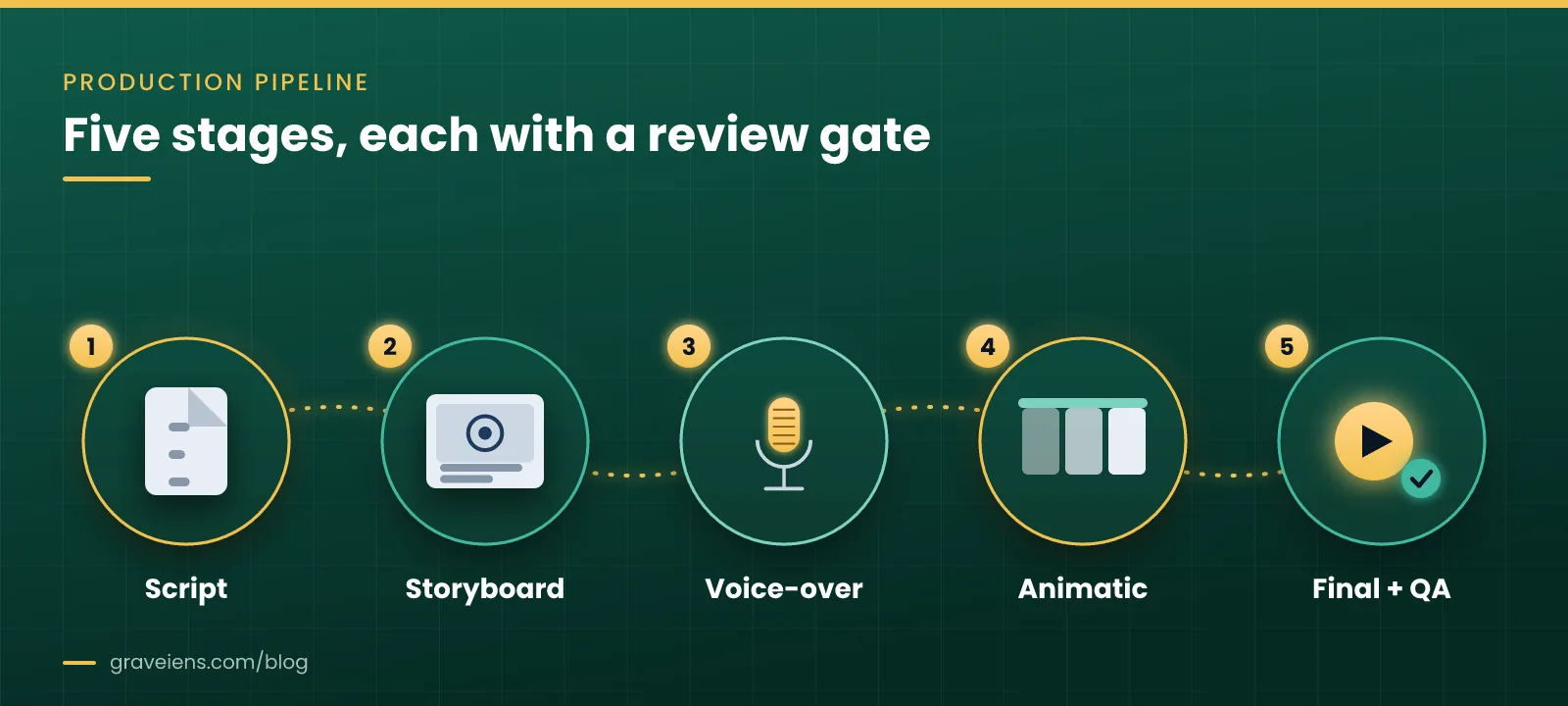
1. Script and learning-objective alignment. Before any visual work starts, the script is written or reviewed against the stated learning objective, grade band, and word count. This is also where instructional accuracy gets checked — a script error is cheap to fix; the same error in a finished animation is not. Instructional designers should stay closely involved at this stage, since animators generally aren’t trained to evaluate pedagogical accuracy the way a curriculum team is, per guidance from the University of Southampton’s digital learning team.
2. Storyboard. The storyboard is the visual blueprint: static frames, roughly comic-strip style, showing what appears on screen, how characters or diagrams are positioned, and where transitions happen. This is the cheapest stage to request changes, and it’s the stage where visual style, color palette, and character design get locked in against the publisher’s reference materials.
3. Voice-over. Once the storyboard is approved, voice-over is recorded. Recording early — before full animation — gives the team exact timing to animate against, rather than guessing pacing and having to re-time scenes later.
4. Animatic (visual storyboard). The animatic overlays the storyboard frames with the recorded voice-over and rough timing, essentially a moving version of the storyboard. This is where pacing problems surface: a scene that reads fine on paper might run too long or too short once it’s matched to narration. Catching that here costs a timing adjustment; catching it in the final animation costs a redo.
5. Final animation and QA. Full animation, color, sound design, and any text overlays are completed, then the file goes through internal quality review before it reaches the client. Four checkpoints — not one “send and hope” delivery — is what separates a dependable vendor from one where you discover problems after the content is already in a course.
Each of these five stages should include a named review gate: who approves the storyboard, who signs off on the voice-over, who approves the animatic, and who gives final sign-off. If your vendor can’t tell you who approves what and when, that’s worth asking about before the project starts. GravEiens EduServices structures its own 2D animation production around exactly this storyboard–voice-over–visual storyboard–final sequence, with approval gates at each step.
Choosing an animation style and vendor: a decision framework
Picking a style shouldn’t be a design preference exercise — it should follow directly from the content, the grade band, and the learning objective. Use this checklist before you brief anyone.
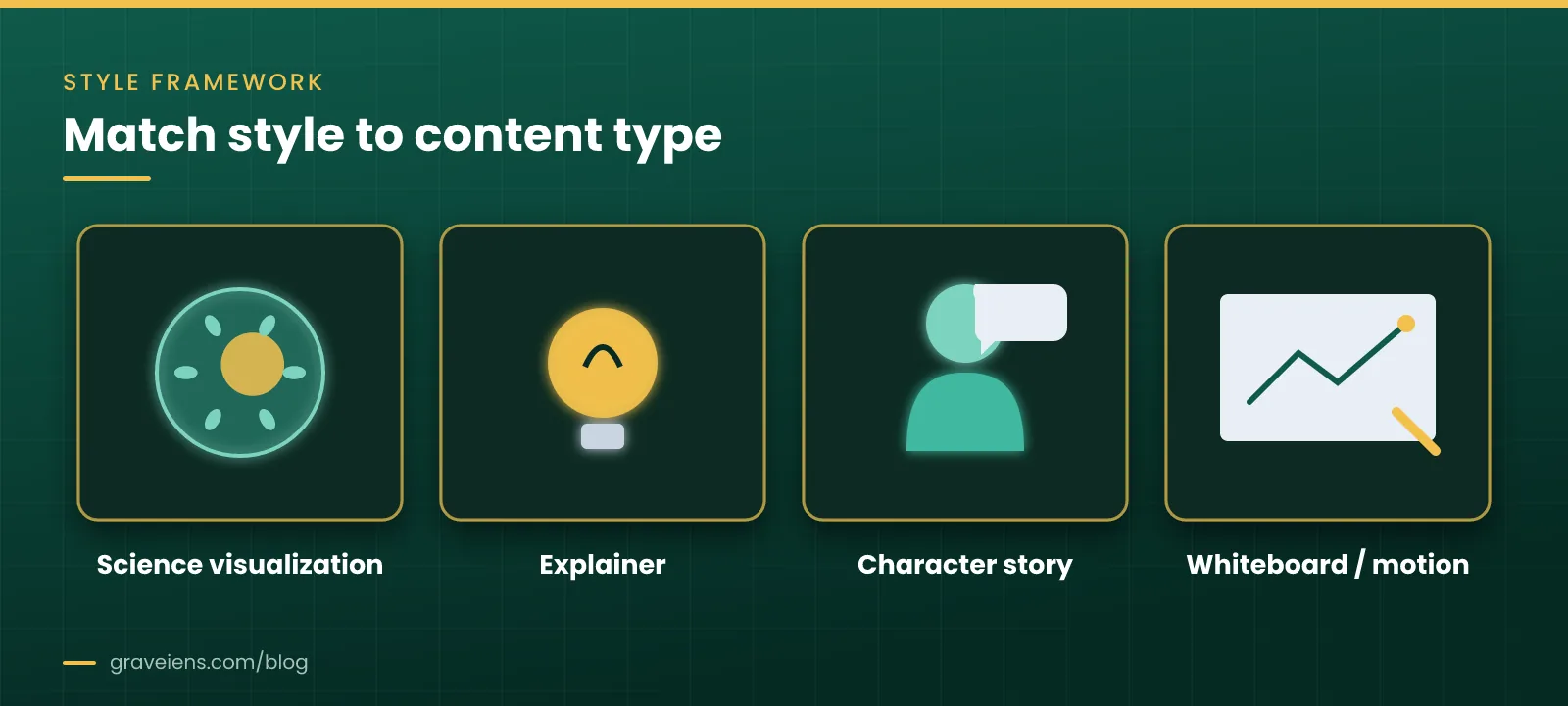
Match style to content type, not aesthetics. – Sequential processes (cell division, chemical reactions, how a loan amortizes) → science/math visualization with step-by-step reveal. – Single-concept explanations → short explainer animation, 60–180 seconds. – Early-grade literacy or SEL content → character-based story animation with a consistent, relatable character. – Definitions, test-prep, or process steps → whiteboard or motion graphics, which reads cleanly even at small screen sizes.
Match complexity to grade band. Younger learners generally need slower pacing, larger on-screen text, simpler color palettes, and more repetition of key terms. Older and higher-ed learners can handle denser visuals and faster pacing, but still benefit from reduced visual clutter — adding narration, on-screen text, and complex diagrams simultaneously tends to increase cognitive load rather than reduce it, a finding that runs through Mayer and Moreno’s research on multimedia learning.
Checklist for evaluating a vendor: – Can they show sample work in the same style and grade band you need, not just a general reel? – Do they have a documented pipeline with named review gates (storyboard, voice-over, animatic, final)? – Can they describe their internal QA process before content reaches you, separate from your own review round? – Do they have experience with your accessibility requirements (captions, audio description, color-contrast-safe palettes)? – Can they localize voice-over and on-screen text in your required languages without a separate hand-off to a different team? – What is their track record on hitting fixed delivery schedules, and can they describe it with a concrete example rather than a general claim?
If a vendor struggles to answer the pipeline and QA questions specifically, that’s a signal to probe further before committing a large volume of content to them.
What drives animation cost and timeline
Publishers often ask for “a price per minute,” but minutes alone don’t determine cost. The table below breaks down the real drivers.
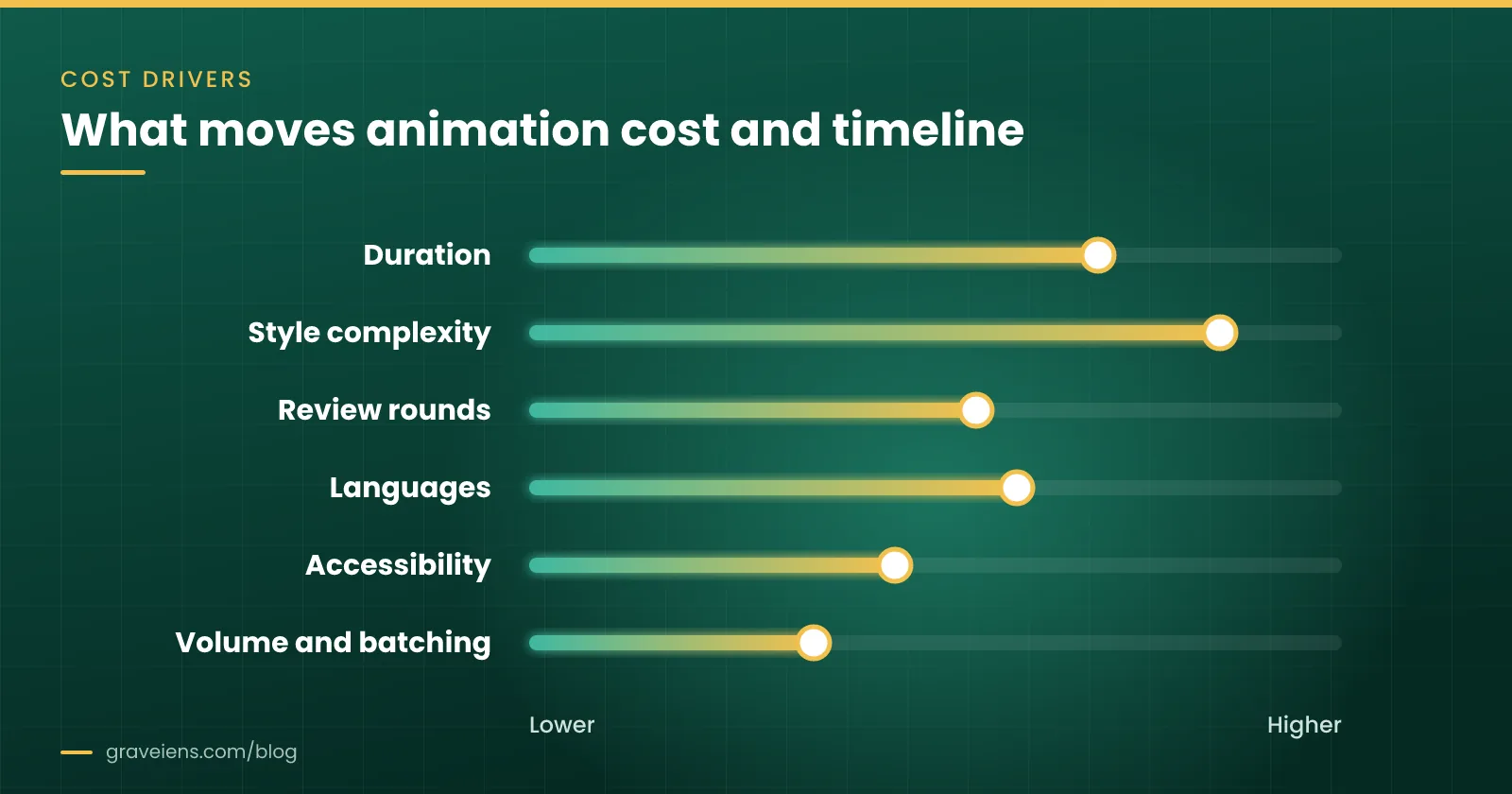
| Driver | Why it changes cost/timeline | What to specify in your brief |
|---|---|---|
| Duration | More seconds of finished animation means more frames, more voice-over, more review time | Target duration per unit (e.g., ~3 minutes per chapter) |
| Style complexity | Character animation with multiple moving elements costs more than whiteboard or motion graphics | Reference videos or style guide showing the exact look you want |
| Number of review rounds | Each extra round of revisions adds time at every stage, especially if changes happen after the animatic | A fixed number of included revision rounds per deliverable |
| Localization/voice-over languages | Each additional language needs its own recording, timing adjustment, and QA pass | Full list of required languages and accents upfront, not added mid-project |
| Accessibility deliverables | Captions, transcripts, and audio description each require additional production steps | Which accessibility outputs are required and to what standard (e.g., WCAG-aligned captioning) |
| Volume and batching | Large volumes with a consistent style can be produced more efficiently per unit than one-off pieces | Total volume and delivery schedule, batched where possible |
The biggest lever most publishers underuse is the number of review rounds. A vendor that builds in clear gates at the storyboard and animatic stages — before full animation work begins — needs far fewer late revision rounds than one that waits until a near-final cut to get feedback.
Common mistakes publishers make when briefing or reviewing animation vendors
Sending a script with no style reference. A script alone doesn’t tell an animator what your brand or series should look like. Without reference videos, color palettes, or character design notes, the first storyboard draft is a guess — and guesses mean extra revision rounds.
Skipping the grade-band detail. “Elementary science” isn’t specific enough. Grade 1 and Grade 5 need very different pacing, vocabulary, and visual density. Leaving this out of the brief is one of the most common causes of a storyboard that needs a full rework rather than a tweak.
Reviewing at the wrong stage. Giving detailed feedback on color choices or character expressions only after the final animation is rendered is expensive. Feedback belongs at the storyboard and animatic stages, where it’s still cheap to change.
Treating localization as an afterthought. Adding a second or third language after animation is finished usually means re-timing scenes to fit new voice-over lengths, not just a script swap. Flagging all required languages in the original brief avoids this.
Leaving accessibility requirements unstated. Captions and audio description need to be planned into timing and visual design, not bolted on at the end. Captions should be synchronized to dialogue and relevant sounds, which is far easier to achieve when it’s part of the original production plan rather than a late addition — guidance consistent with the W3C’s documentation on captioning prerecorded video.
Not naming a single decision-maker for review. When feedback comes from multiple reviewers with conflicting notes at the same stage, revision rounds multiply. One named approver per stage keeps the pipeline moving.
Assuming “2D animation” is one style. Asking for “2D animation” without specifying explainer, character, whiteboard, or visualization style leaves too much open to interpretation, and the storyboard stage ends up doing work that should have happened in the brief.
A well-built creative brief should include: the learning objective, grade band, visual style reference, voice-over language and accent, target word count or duration, and accessibility requirements — stated upfront, not discovered during review.
How GravEiens EduServices approaches this
GravEiens EduServices runs every 2D animation project through the same four-stage QA workflow regardless of client or subject: content creation, internal review, client review, and final delivery. Each stage has a defined owner and a defined exit criterion, so a project doesn’t move to the next stage until the current one is signed off — the same logic as the storyboard-to-final pipeline described above, applied with a formal internal QA pass before anything reaches the client’s reviewers.
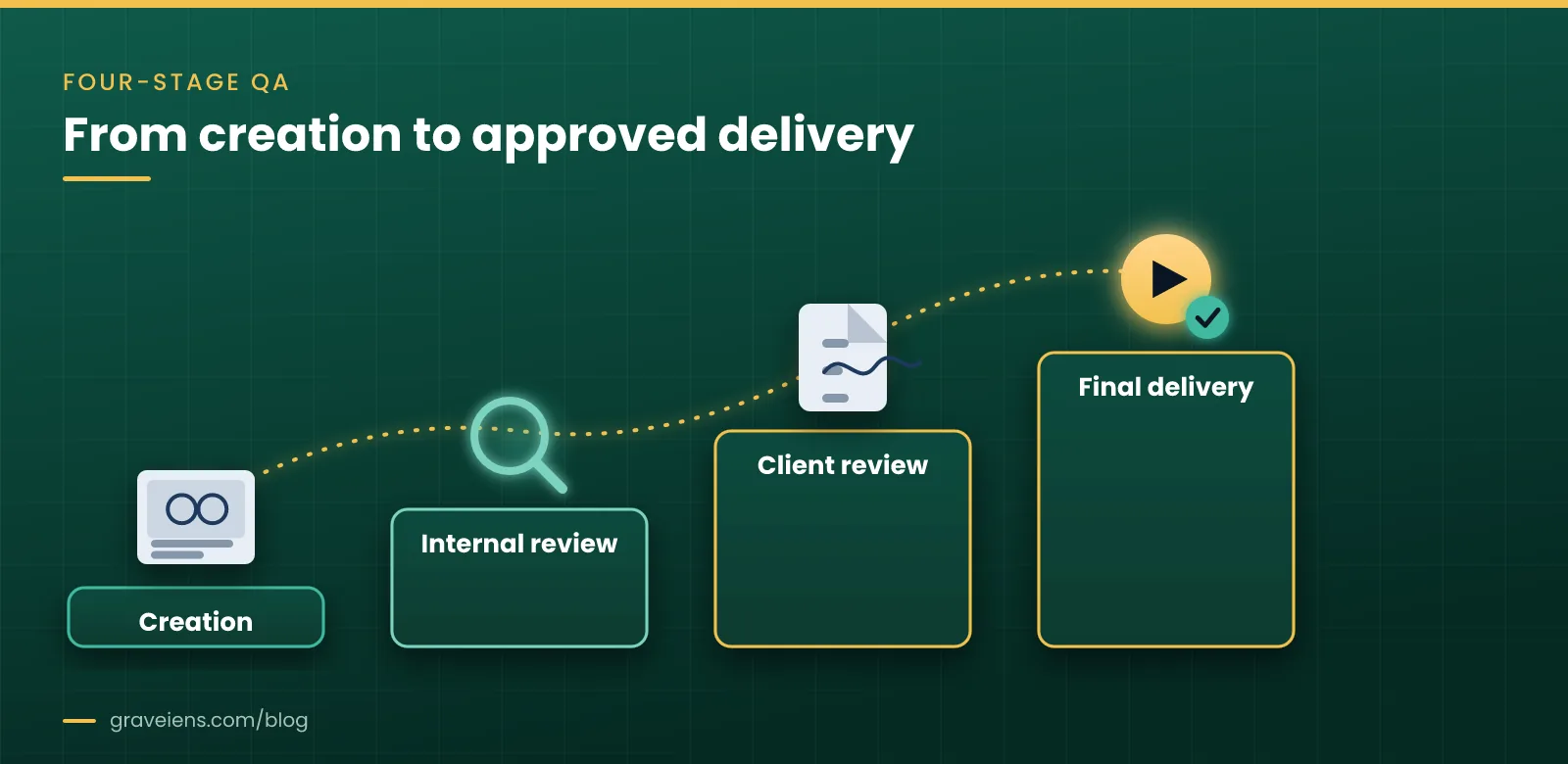
That structure was tested directly on a real project. A US educational publisher needed 400 minutes of Grade 1–5 Math and Science animation — about 3 minutes per chapter — on a fixed schedule and an exacting visual style. GravEiens EduServices used a four-stage approval pipeline (storyboard, voice-over, visual storyboard, final) and ran night-shift animators aligned to US working hours, so the client could give feedback and see it addressed the same day rather than waiting a full day for the next round.
The result: all 400 minutes were delivered one week ahead of schedule, with 90% of content approved within two review rounds. That second number is the one worth paying attention to — it reflects a brief and pipeline tight enough that most chapters didn’t need a third round of revisions, which is where timelines and budgets usually slip.
GravEiens EduServices is ISO 9001 certified and has worked with 350+ clients globally, delivering more than 2 million digital assets and 10,000+ learning resources across instructional design, animation, assessments, localization, and accessibility remediation. You can see the animation work specifically on the 2D animation services page, browse the broader service offerings, or check recent posts on related production and accessibility topics.
Frequently asked questions
What are 2D educational animation services?
2D educational animation services produce flat (non-3D) animated video content — explainers, character stories, whiteboard sequences, and science or math visualizations — built around a specific learning objective and grade band, rather than general marketing or entertainment animation.
How long does it take to produce an educational animation?
Timeline depends on duration, style, and revision rounds, but a short explainer typically moves through script, storyboard, voice-over, animatic, and final animation over several weeks per batch. Larger volumes with a consistent style and fixed review rounds can be produced more efficiently per minute than one-off pieces.
What should a creative brief for an animation vendor include?
A complete brief states the learning objective, grade band, visual style reference (sample videos or a style guide), voice-over language and accent, target duration or word count, and accessibility requirements. Leaving any of these out usually means an extra revision round once the first draft arrives.
What’s the difference between a storyboard and an animatic?
A storyboard is a set of static frames showing composition and action, similar to a comic strip. An animatic adds the recorded voice-over and rough timing to those frames, so the team can check pacing before committing to full animation — catching timing issues here is far cheaper than fixing them later.
How many review rounds should be included in an animation project?
Most well-scoped projects need two to three review rounds total, concentrated at the storyboard and animatic stages rather than after final animation. Projects that front-load feedback at these early stages — rather than waiting for a near-final cut — typically need fewer total rounds.
Can educational animation be localized into multiple languages?
Yes, but each additional language needs its own voice-over recording and a timing check, since translated narration rarely matches the original’s pacing exactly. Flagging all required languages in the initial brief, rather than adding them after animation is finished, avoids re-timing scenes later.
What accessibility features should educational animation include?
At minimum, synchronized captions for dialogue and meaningful sounds, and audio description for visual information the narration doesn’t cover, such as on-screen diagrams or text. Planning these into the original timing and visual design, rather than adding them afterward, keeps quality consistent and avoids rework.
How is 2D animation different from 3D animation for education?
2D animation is generally faster and more cost-effective to produce and revise, and it suits most explainer, character, and visualization needs in K-12 and higher-ed content. 3D animation adds depth and realism useful for certain science or technical visualizations, but at higher cost and longer production time per minute.
Ready to brief an animation project?
If you’re scoping 2D educational animation for a course, question bank, or supplemental series, start with a clear brief: learning objective, grade band, style reference, language needs, and accessibility requirements. Then bring it to a team that can show you the pipeline, not just a reel.
See sample work and project details on the 2D animation services page, or reach out through the contact page to discuss your timeline and volume.
Sources
- University of Southampton Digital Learning — Animation Production: https://www.southampton.ac.uk/digital-learning/media/services/animation-production.page
- W3C Web Accessibility Initiative — Understanding Captions (Prerecorded), WCAG 2.1: https://www.w3.org/WAI/WCAG21/Understanding/captions-prerecorded.html
- CAST — UDL Guidelines, Multiple Means of Representation: https://udlguidelines.cast.org/representation/
- Mayer, R.E. & Moreno, R. (2002). “Animation as an Aid to Multimedia Learning,” Learning and Instruction (PDF): https://www.sfu.ca/~jcnesbit/EDUC220/ThinkPaper/MayerMoreno2002.pdf
About the author: The GravEiens EduServices Team writes on instructional design, animation, accessibility, and content production practices for publishers and EdTech teams. GravEiens EduServices is an ISO 9001-certified eLearning content outsourcing partner founded in 2017, serving 350+ clients worldwide.

 EdTech Outsourcing
Education Outsourcing Companies: How to Choose the Right Content Partner
Compare education outsourcing companies with the 7-point PARTNER check, a pilot-first process, cost drivers and red flags. Request a free…
Get monthly EdTech insights
Trends, content tips and how-tos — once a month, no spam.