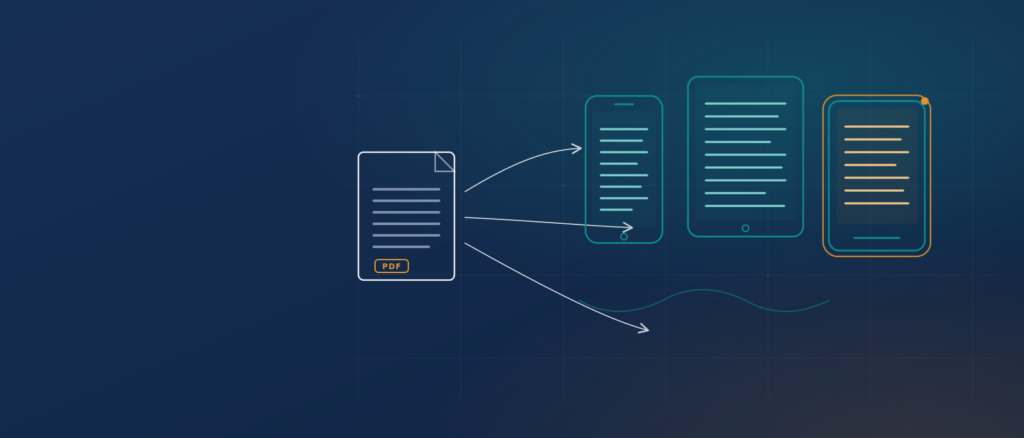
PDF to EPUB is the process of turning a fixed-page PDF into a reflowable EPUB file so the text adapts to any screen size instead of forcing readers to pinch and zoom. A clean, text-based PDF often converts well with a free tool in minutes. A scanned book, a multi-column journal, or a heavily designed layout usually needs restructuring, optical character recognition (OCR), and validation before the result is genuinely readable. This guide explains both paths, gives you a scoring framework to judge quality, and shows when a professional digital EPUB conversion workflow is the cheaper option in the long run.
Key takeaways
- A PDF stores where ink sits on a page. An EPUB stores structure, so the text can reflow to any screen.
- Simple text PDFs convert for free. Scanned, complex, or accessibility-bound titles need real reconstruction.
- Always validate with EPUBCheck and test in at least two reading apps before you publish.
- Use the REFLOW framework below to score any file objectively instead of guessing.
At a glance
| Question | Short answer |
|---|---|
| What is PDF to EPUB conversion? | Rebuilding a fixed PDF page as a reflowable EPUB that resizes text to fit any device. |
| Is EPUB better than PDF? | For reading on phones and e-readers, yes. For print-exact layouts, PDF still wins. |
| Can I convert PDF to EPUB for free? | Yes, for simple text PDFs using Calibre or online converters. Complex files need more work. |
| Why do free conversions look messy? | PDFs store visual position, not reading order, so tools guess the structure. |
| Does a scanned PDF convert directly? | No. Scans are images and need OCR before they can become reflowable text. |
| When should I hire a service? | For scanned books, complex layouts, accessibility requirements, or high volume. |
Table of contents
- What is PDF to EPUB conversion?
- Why the format matters for readers
- PDF vs reflowable EPUB vs fixed-layout EPUB
- How PDF to EPUB conversion actually works
- Ways to convert, compared
- The REFLOW framework for judging conversion quality
- Worked examples
- What conversion costs
- Common mistakes and how to avoid them
- A pre-flight checklist
- EPUB reader apps on Android
- Frequently asked questions
What is PDF to EPUB conversion?
PDF to EPUB conversion is the process of extracting the content of a Portable Document Format file and rebuilding it as an EPUB, the open e-book standard maintained by the World Wide Web Consortium (W3C). EPUB 3.3 became a W3C Recommendation on May 25, 2023, and it packages standard web content, HTML, CSS, SVG, and MathML, into a single file that e-readers can display.
The core difference behind every PDF to EPUB conversion is behavior, not just the file extension. A PDF fixes every word to a coordinate on a page. An EPUB, by default, reflows: the text rewraps to fit whatever screen it lands on, and the reader can change the font size, typeface, and line spacing. That single change is why the same book feels cramped as a PDF on a phone and comfortable as an EPUB. When publishers move a catalog from print PDFs to e-books, this reflow behavior is the whole point of the print-to-digital conversion they commission.
Why the format matters for readers
The reason to convert a PDF to an e-book format like EPUB is usability in the broad sense: making one file work across many devices and many readers. A PDF built for A4 paper does not shrink gracefully to a 6-inch screen. Readers zoom, scroll sideways, and lose their place. An EPUB adapts to the device, so it reads the same way on a phone, a tablet, an e-ink reader, or assistive software.
Reflowable text also underpins genuine accessibility. Because EPUB content is structured web markup, a screen reader can follow headings, read tables in order, and announce alternative text for images, provided the file was built correctly. The W3C publishes a separate EPUB Accessibility 1.1 specification precisely because reflowability alone does not guarantee an accessible book. That gap between a file that merely opens and a file that is genuinely usable is exactly where dedicated accessibility remediation work lives, and it is the difference between passing an audit and failing one.
PDF vs reflowable EPUB vs fixed-layout EPUB
There is no single winner. The right target depends on the content, and mature publishing operations often keep more than one format for the same title.
| Dimension | Reflowable EPUB | Fixed-layout EPUB | |
|---|---|---|---|
| Best for | Print, forms, exact layouts | Novels, reports, text-heavy books | Children’s books, comics, magazines |
| Text behavior | Fixed to the page | Rewraps to any screen | Fixed to a designed page |
| Font resizing | Zoom only | Full reader control | Usually none |
| Accessibility ceiling | Limited unless tagged (PDF/UA) | High when built to spec | Lower, image-dependent |
| File structure | Visual coordinates | Structured HTML and CSS | HTML and CSS with pinned positions |
| When to choose | You need one printable, unchanging page | Readers need comfortable on-screen reading | The design is the content |
The practical rule: reflowable EPUB is usually stronger when the words matter more than the exact layout. Fixed-layout EPUB may be preferable when the design carries meaning, such as an illustrated picture book. A tagged, accessible PDF (PDF/UA) can make sense when a document must stay print-identical yet still be usable by assistive technology. The mistake is treating “which format” as a default rather than a decision.
How PDF to EPUB conversion actually works
The hard truth about turning a PDF into an EPUB is that a PDF does not store a reading order. It stores where ink sits on a page. Conversion tools have to reconstruct meaning from position, and that reconstruction is where quality is won or lost.
A sound conversion moves through five stages.
- Extract the content, pulling text, images, and structure out of the PDF.
- Recover the reading order, deciding what is a heading, a paragraph, a caption, a footnote, or a running header to discard.
- Rebuild as semantic HTML and CSS, so headings are headings and lists are lists, not just styled text.
- Assemble the EPUB, adding a table of contents, metadata, and a cover.
- Validate with EPUBCheck, the industry’s conformance checker, and test across real reading apps.
Scanned PDFs add a step before all of this. A scan is a picture of a page, so there is no text to extract until OCR converts the image into characters. Skipping OCR is the most common reason a scanned book “converts” into an EPUB that shows a picture of each page and cannot be resized or read aloud. On complex titles, stages two and three are where a specialist team spends most of its effort, because rebuilding tables, footnotes, and equations by hand is the only way to reach a clean result. This is the same structured groundwork behind professional eBook creation for schools and publishers.
Ways to convert, compared
Four routes cover almost every PDF to EPUB situation, from a one-off file to a catalog of thousands.
| Method | Best for | Quality on complex layouts | Accessibility control | Cost | Scales to volume |
|---|---|---|---|---|---|
| Online converters (FreeConvert, PDF24, CloudConvert) | Quick, simple text PDFs | Low to moderate | Minimal | Free or low | No |
| Calibre (free, open source) | DIY on text-based PDFs | Low to moderate | Manual, limited | Free | No |
| Authoring from source (Word, InDesign to EPUB) | New titles you still have source files for | High | Good with effort | Software cost | Limited |
| Professional conversion service | Scanned books, complex or accessible titles, large catalogs | High | Full, to WCAG and EPUB standards | Per-page or per-project | Yes |
Calibre’s own documentation is candid that PDF is one of the hardest source formats to convert well, because the layout must be reverse-engineered. That is not a knock on the tool; it is the nature of the source. For a plain novel exported cleanly to PDF, Calibre or a good online converter is often all you need. For a math textbook, a scanned monograph, or a title that must meet accessibility law, the reconstruction work is the job, and that is what teams behind published conversion case studies are paid to do properly.
The REFLOW framework for judging conversion quality
Most people cannot tell a good EPUB from a bad one until a reader complains. Use REFLOW to score any PDF to EPUB output before you publish it. Rate each factor from 1 (broken) to 5 (excellent). A total below 24 out of 30 means the file needs rework.
| Factor | What to check | Score 1 to 5 |
|---|---|---|
| R: Reading order | Text flows in the correct logical sequence, with no stray headers or page numbers mid-paragraph. | |
| E: Elements preserved | Headings, lists, tables, footnotes, and images survived as real structure, not flattened text. | |
| F: Fit to device | Text reflows and resizes cleanly on a phone, tablet, and e-reader. | |
| L: Links and navigation | The table of contents works and internal links and page lists resolve. | |
| O: Output validation | The file passes EPUBCheck with no errors and meets your accessibility target. | |
| W: Wrapping and metadata | Title, author, language, cover, and rights metadata are correct and complete. |
The value of REFLOW is that it separates “it opened” from “it works.” A file can look fine on your laptop and score a 2 on Reading order the moment a screen reader tries to follow it. Score every title the same way and quality stops being a matter of opinion.
Worked examples
The following cases are illustrative, built to show typical decisions rather than to report specific customer results.
Illustrative example one, a text novel. A 300-page novel exported from Word to a clean, text-based PDF converts to reflowable EPUB smoothly. A free tool recovers paragraphs and chapters, EPUBCheck passes, and only the table of contents needs a quick manual fix. DIY is the right call, and paying for a service here would be waste.
Illustrative example two, a scanned textbook. A 20-year-old textbook exists only as a scanned PDF. Direct conversion produces an EPUB of page images: unresizable and unreadable by assistive software. The real path is OCR, then rebuilding chapters, tables, and equations as structured markup, then accessibility work. This is professional territory, and attempting it with a free converter tends to burn days and still fail validation.
Illustrative example three, an illustrated children’s book. Here the layout is the content. Reflowing it would scatter the art across the screen. The correct target is fixed-layout EPUB, which preserves the designed pages while still delivering a true e-book file. Choosing reflowable here would be a mistake driven by a default setting rather than the content.
What conversion costs
The cost to convert a PDF to an e-book format splits cleanly into two models, and confusing them is where budgets go wrong.
Free and near-free tools cost nothing per file but carry a hidden cost in time and rework, especially on anything beyond simple text. For a single novel, that trade is fine. For a hundred titles, the human hours spent fixing output quietly exceed any service fee.
Professional conversion is usually priced per page or per project. As a transparent illustration of how a per-page model adds up, using the rate of $2 to $5 per page that Graveiens publishes for standard content:
- A 200-page standard title at $3 per page works out to roughly $600.
- Scanned source, heavy math, or full accessibility remediation sits at the higher end of the range or is quoted per project, because the reconstruction and validation work is greater.
Treat any figure you are given as one of three things: a verified market price, an illustrative calculation like the one above, or a project-specific quote. For your own catalog, the number that decides the outsource question is total cost of ownership, which is tool time plus rework plus the cost of a reader who abandons a broken file, not the sticker price of a converter. When that math points to outsourcing, a fixed per-page conversion quote is usually easier to plan around than open-ended internal hours.
Common mistakes and how to avoid them
Running a scanned PDF to EPUB conversion without OCR. It happens because the file opens like any other PDF, so people assume it contains text. It matters because the output is a stack of images that cannot be resized or read aloud. Prevent it by confirming whether the PDF is text or a scan before you start; if you cannot select the text with your cursor, it is a scan.
Trusting the preview instead of validating. Teams eyeball the file on one device and ship it. Different apps render EPUB differently, and errors hide until a reader hits them. Run EPUBCheck and open the file in at least two real reading apps.
Forcing fixed layout by habit. Fixed layout looks safe because it mirrors the PDF, but it strips away resizing and much of the accessibility that made EPUB worth choosing. Reserve it for content where the design truly is the message.
Dropping metadata and the table of contents. A rushed conversion often loses title, author, language, and navigation. That breaks discovery in stores and navigation for readers. Set metadata deliberately and test the contents links.
Leaving accessibility to the end. Retrofitting accessibility onto a finished EPUB is slow and expensive. Building structure and alternative text from the start is far cheaper, which is why accessibility-first workflows exist in the first place.
A pre-flight checklist
Run this before you call any PDF to EPUB conversion finished.
- Confirm the source: is the PDF real text or a scan that needs OCR?
- Choose the target: reflowable EPUB, fixed-layout EPUB, or an accessible PDF.
- Convert or rebuild the content into semantic HTML and CSS.
- Restore the table of contents, internal links, and page list.
- Set complete metadata: title, author, language, identifier, and cover.
- Add alternative text and check reading order for accessibility.
- Validate with EPUBCheck and fix every error.
- Test on at least two reading apps, including one screen reader.
- Score the file with REFLOW and rework anything under target.
EPUB reader apps on Android
Once a file is converted, readers need somewhere to open it, and EPUB support is broad. A capable EPUB reader Android users can rely on includes open-source options such as Thorium Reader and Librera, alongside popular apps like Moon+ Reader and Google Play Books, which imports both EPUB and PDF files. Because EPUB is an open standard rather than a proprietary format, an EPUB you create is not locked to one store or device, which is a large part of its appeal over closed formats. Testing your converted file in a real Android reader is also a fast way to catch reflow and navigation problems before you publish, and it is a step worth building into any eBook production process.
Frequently asked questions
What is PDF to EPUB conversion? It is the process of rebuilding a fixed-page PDF as a reflowable EPUB, the open e-book standard from the W3C, so the text adapts to any screen and readers can change the font size. Conversion is more than a file-extension change: because a PDF stores visual position rather than reading order, the content has to be restructured into proper headings, paragraphs, and lists.
Is EPUB better than PDF?
For on-screen reading on phones, tablets, and e-readers, EPUB is usually better because it reflows and resizes, and it supports accessibility more fully. PDF remains better when you need a print-exact, unchanging page, such as a form, a contract, or a design proof. Many publishers keep both formats for the same title and use each where it fits.
Can I convert PDF to EPUB for free?
Yes, for simple, text-based PDFs. Free tools like Calibre or online converters such as PDF24 and FreeConvert handle clean novels and reports reasonably well. They struggle with scanned pages, multiple columns, tables, equations, and heavy design, where the reconstruction work goes beyond what an automated free tool can do.
Why does my converted EPUB look messy?
Because a PDF records only the position of ink on a page, not reading order. The converter guesses where paragraphs, headings, and columns belong, and on complex layouts it guesses wrong. The fix is to rebuild the content as structured markup rather than relying on automatic extraction alone.
How do I convert a scanned PDF to EPUB?
A scan is an image, so it needs optical character recognition (OCR) to turn the picture of the page into real text first. After OCR, the recognized text is corrected and rebuilt into a structured EPUB. Skipping OCR produces an EPUB of unreadable page images, which is the most common scanned-file mistake.
How much does professional PDF to EPUB conversion cost?
Professional work is usually priced per page or per project. As an illustration, Graveiens publishes a rate of $2 to $5 per page for standard content, so a 200-page title lands near $600 at $3 per page. Scanned sources, heavy mathematics, and full accessibility remediation sit at the higher end or are quoted per project. Always confirm whether a number is a market price, an illustration, or a firm quote.
Does EPUB support accessibility? Yes, and more fully than an untagged PDF, because EPUB content is structured web markup that assistive technology can navigate. The W3C maintains a dedicated EPUB Accessibility 1.1 specification, and reaching it requires deliberate work: correct reading order, alternative text, and semantic structure. Reflowability alone does not make a book accessible.
How do I know my EPUB is valid? Run it through EPUBCheck, the conformance checker used across the publishing industry, and resolve every reported error. Then open the file in at least two real reading apps, including a screen reader, because different apps render EPUB differently and a preview on one device can hide problems that appear on another.
Should I choose reflowable or fixed-layout EPUB?
Choose reflowable when the words matter more than the exact page, which covers most novels, reports, and text-heavy books. Choose fixed-layout when the design carries the meaning, such as picture books, comics, or magazines. Defaulting to fixed layout to mirror the PDF is a common error that strips away resizing and accessibility.
When should I hire a conversion service instead of doing it myself?
Hire out when the source is scanned, the layout is complex, the title must meet accessibility requirements, or you have a large catalog to convert on a deadline. In those cases the reconstruction and validation work is the job, and doing it by hand with free tools usually costs more in time and rework than a service does in fees.
Convert with confidence
PDF to EPUB conversion is worth doing whenever readers will open a document on a screen, because a reflowable EPUB adapts to the device while a PDF forces the device to adapt to the page. For a clean, text-based file, a free tool and a few minutes of cleanup will get you there. For scanned books, complex layouts, or anything that must meet accessibility standards, the real work is reconstructing reading order and validating the result, and that is where a professional service saves both time and money. Whichever route you take, judge the output with a repeatable standard like the REFLOW framework, validate with EPUBCheck, and test in a real reader before you publish.
If your catalog is scanned, complex, accessibility-bound, or simply large, that reconstruction and validation is exactly what a specialist handles end to end. Graveiens’ digital EPUB conversion service delivers reflowable EPUB3, fixed-layout EPUB, and accessible output engineered to WCAG 2.2 AA and PDF/UA rather than retrofitted, validated with EPUBCheck, and handed back with the source files so there is no lock-in. Publishers can start from the publishing solutions overview, and you can see the approach in action across the conversion case studies.
About the authors
This guide was produced by the Graveiens Editorial Team, which works daily on print-to-digital conversion, reflowable and fixed-layout EPUB, and accessibility remediation. You can learn more about the team on the Graveiens About page.
Also read: the publishing solutions overview, the accessibility remediation service for compliance-bound titles, and the Graveiens blog for more on digital publishing.
Sources
- World Wide Web Consortium, EPUB 3.3, W3C Recommendation, May 25, 2023: https://www.w3.org/TR/epub-33/
- World Wide Web Consortium, EPUB Accessibility 1.1: https://www.w3.org/TR/epub-a11y-11/
- W3C EPUBCheck conformance checker: https://www.w3.org/publishing/epubcheck/
- Calibre e-book management, conversion documentation: https://manual.calibre-ebook.com/conversion.html
- Graveiens digital EPUB conversion service (rates and capabilities): https://www.graveiens.com/digital-epub-conversion

 Uncategorized
Summative Assessment: Meaning, Types, Examples and How It Differs From Formative Assessment
Summative assessment is a graded evaluation given at the end of a unit, term, course or programme to measure what…
 Uncategorized
Top Instructional Design Companies in 2026: How to Choose the Right Partner
Instructional design companies are firms that analyse a performance or learning gap, then design courses, assessments and evaluation plans that…
 Uncategorized
eLearning Localization Services: A Practical Guide to Scope, Cost and Choosing a Partner in India
eLearning localization services adapt a digital course’s text, audio, video, visuals, interactions and assessments to a new language and culture,…
Get monthly EdTech insights
Trends, content tips and how-tos — once a month, no spam.